
CRM Software Development Cost in India: 2026 Guide
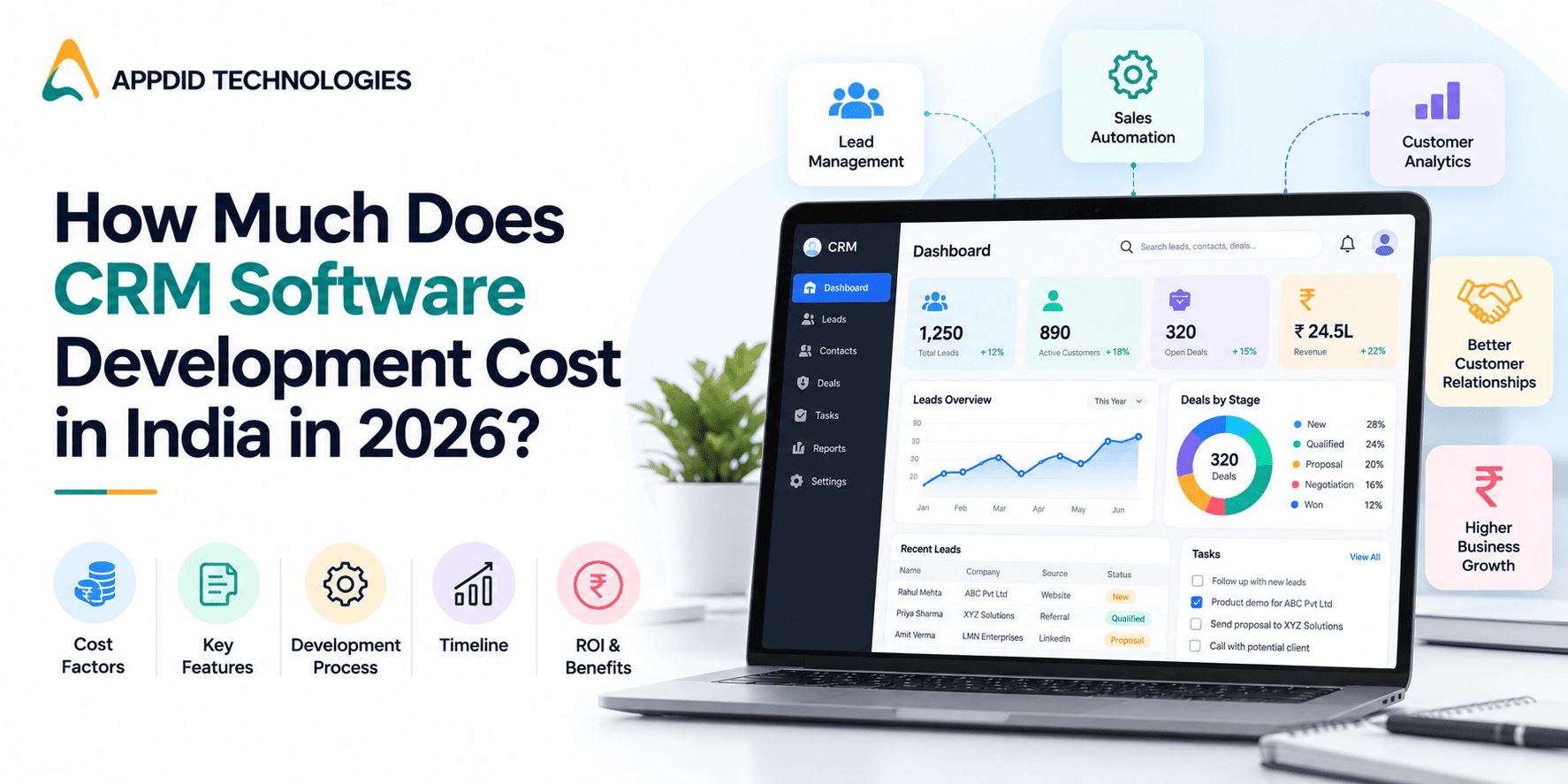
CRM Software Development Cost in India: Features, Factors & Budget Planning for 2026
Customer relationships play a major role in business growth. As companies manage more enquiries, sales opportunities, customer records and follow-ups, handling everything through spreadsheets and disconnected tools can become difficult. Customer Relationship Management (CRM) software helps businesses organize customer information, streamline sales activities, automate repetitive tasks and improve customer communication.
However, the investment required to develop a CRM system depends on the business requirements, features, integrations and technical complexity involved. A basic CRM for managing leads will have different development requirements from an advanced platform with sales automation, analytics, customer support and third-party integrations.
Understanding the CRM software development cost in India helps businesses plan their budgets, prioritize essential features and choose an appropriate development approach.
This guide explains the factors affecting custom CRM development costs, essential features to consider, the development process and practical ways to plan your investment in 2026.
What Is CRM Software Development?
CRM software development involves building a digital system that helps businesses manage customer information, track interactions, organize sales pipelines and improve relationships throughout the customer lifecycle.
Unlike a ready-made CRM product with predefined features, custom CRM software is designed around an organization's specific workflows, reporting requirements, business processes and integration needs.
For example, a company managing hundreds of enquiries may need lead assignment, follow-up reminders, sales pipeline tracking and performance reports. A service-based business may require customer communication history, service requests, task management and automated notifications.
A custom solution can bring these activities together in one platform.
Businesses considering a tailored solution can explore CRM software development services to understand how a CRM application can be aligned with their operational requirements.
How Much Does CRM Software Development Cost in India?
There is no single price for developing CRM software because every project has different requirements. The total investment depends on the number of features, complexity of workflows, user roles, integrations, security requirements and the technology used.
A useful way to estimate CRM software development cost is to categorize the project according to its scope.
1. Basic CRM Software
A basic CRM focuses on essential customer and lead management activities. It may be suitable for businesses that want to replace manual spreadsheets or consolidate customer information.
Typical features include:
-
Customer and contact management
-
Lead creation and tracking
-
Basic sales pipeline management
-
Follow-up reminders
-
Task assignment
-
Simple reports and dashboards
-
User login and access permissions
The development scope is generally more straightforward when the business has clearly defined workflows and limited integration requirements.
2. Mid-Level CRM Software
A mid-level CRM includes more advanced sales processes, automation and reporting capabilities. It may be appropriate for organizations managing multiple sales representatives, departments or customer segments.
Features may include:
-
Automated lead assignment
-
Custom sales pipelines
-
Email and notification integration
-
Advanced reporting and analytics
-
Role-based access control
-
Workflow automation
-
Customer interaction history
-
Integration with selected business tools
The cost increases when these features require complex business rules, multiple user roles or synchronization with external systems.
3. Advanced CRM Software
Advanced CRM platforms support more complex business operations and may serve multiple departments, locations or large user groups.
Potential features include:
-
Advanced sales and marketing automation
-
Custom workflow engines
-
AI-assisted lead scoring or recommendations
-
Advanced analytics and forecasting
-
Multiple third-party integrations
-
Custom reporting modules
-
Detailed access controls and audit logs
-
Scalable architecture for growing workloads
The CRM development budget for this category depends heavily on system architecture, data processing requirements, security needs and the complexity of integrations.
Important: These categories describe project scope, not fixed price ranges. An accurate estimate requires a detailed assessment of features, workflows, integrations and expected usage.
Key Factors Affecting CRM Software Development Cost
Understanding the major cost drivers helps businesses make informed decisions before development begins.
1. Feature Requirements and Customization
Features are one of the biggest factors influencing custom CRM development cost. A system designed only for contact management requires less development effort than one with automated sales workflows, advanced reporting and customer service management.
Custom features may also require additional business logic, specialized interfaces and testing.
Before development starts, identify the problems the CRM must solve. Prioritize essential features and plan additional capabilities for future releases.
2. UI/UX Design and User Experience
The user interface determines how easily employees can navigate the CRM, access customer records and complete everyday tasks.
A straightforward dashboard with clear navigation may be sufficient for a small sales team. A CRM supporting multiple departments could require customized dashboards, role-specific screens, advanced filtering and more complex workflows.
UI/UX design costs depend on the number of screens, customization requirements, design iterations and usability testing involved.
3. Web-Based CRM or Mobile CRM Application
Your choice of platform affects development scope.
A web-based CRM can provide access through a browser, while a mobile CRM application allows employees to manage leads, update records and receive notifications while working remotely or meeting customers.
Some businesses require both a web dashboard and mobile applications for Android and iOS.
Depending on your requirements, explore Android app development, iOS app development and cross-platform app development.
The overall cost depends on whether the platforms share business logic and backend services, how much functionality each platform needs and whether separate development work is required.
4. Third-Party Integrations
CRM systems often need to exchange data with other business applications. Integrations can reduce manual work, but they also introduce development and maintenance requirements.
Common integrations include:
-
Email and calendar applications
-
Telephony and communication tools
-
Payment systems
-
Marketing automation platforms
-
Accounting and invoicing software
-
ERP systems
-
Customer support platforms
-
Business analytics tools
Integration costs depend on API availability, authentication methods, data mapping, synchronization frequency, error handling and the complexity of the external system.
For a deeper understanding, read Appdid's guide to API integration in mobile app development.
5. Data Migration and Existing Systems
Businesses upgrading from spreadsheets, legacy CRM software or multiple databases may need to migrate existing customer records into the new system.
The effort involved depends on the volume of data, data quality, duplicate records, file formats and relationships between different records.
Data migration may require cleaning, validation, transformation and testing to ensure that important customer information remains accurate and accessible.
If the existing data is inconsistent or stored across several systems, migration can become a significant part of the project scope.
6. Security and Access Control
CRM systems can store customer contact information, sales records, communication histories and other sensitive business data. Security should therefore be considered from the planning stage.
Depending on the application, security requirements may include:
-
Role-based permissions
-
Secure authentication
-
Encryption of sensitive information
-
Protected API communication
-
Activity logs and audit trails
-
Backup and recovery procedures
-
Data retention policies
-
Secure session management
The required safeguards depend on the type of information handled, business policies and applicable legal obligations.
Read more about why encryption is important for app developers to understand how encryption contributes to application security.
7. Technology Stack and System Architecture
The technology stack includes the programming languages, frameworks, databases, hosting environment and supporting services used to build the CRM.
The right choice depends on the required functionality, expected workload, integrations, team expertise and long-term maintenance needs.
For example, a CRM with simple workflows may have different infrastructure requirements from a system that processes large volumes of customer activity or supports complex reporting.
Technology decisions should focus on reliability, maintainability and scalability rather than choosing tools solely because they are popular.
8. Testing, Deployment and Maintenance
CRM development does not end when the features are implemented. The application must be tested to ensure that its workflows, permissions, integrations and reports operate correctly.
Testing may cover:
-
Functional testing
-
Integration testing
-
Security testing
-
Performance testing
-
User acceptance testing
-
Compatibility testing
-
Data migration validation
After deployment, the CRM may also require bug fixes, security updates, infrastructure monitoring and improvements based on user feedback.
These ongoing requirements should be included in the overall budget rather than treated as unexpected expenses.
Essential CRM Software Features to Include in Your Budget
Choosing the right features helps control development costs while ensuring that the CRM addresses genuine business needs.
|
CRM Feature |
Purpose |
Priority |
|
Contact management |
Stores customer details and interaction history |
Essential |
|
Lead management |
Organizes enquiries and tracks lead status |
Essential |
|
Sales pipeline |
Tracks opportunities through different sales stages |
Essential |
|
Task and reminder management |
Helps teams manage follow-ups and deadlines |
Essential |
|
User roles and permissions |
Controls access to information and features |
Essential |
|
Reporting dashboard |
Tracks sales activity and performance |
High |
|
Workflow automation |
Automates repetitive processes |
Based on requirements |
|
Email and notification integration |
Supports customer communication and reminders |
Based on requirements |
|
Advanced analytics |
Helps evaluate trends and forecast performance |
Advanced |
|
AI-assisted features |
Supports tasks such as lead scoring or recommendations |
Optional |
|
Mobile application |
Enables CRM access through smartphones |
Based on requirements |
The best approach is to prioritize features based on business value. Adding every available capability at launch can increase the development budget without necessarily improving adoption or productivity.
For further guidance on CRM functionality, explore CRM software development core elements and the key benefits of CRM software for business success.
Custom CRM Development vs Ready-Made CRM Software
Before investing in CRM development, businesses should decide whether to use an existing product or build a custom solution.
|
Factor |
Ready-Made CRM |
Custom CRM Software |
|
Initial setup |
Usually quicker |
Requires planning and development |
|
Features |
Based on the provider's available functionality |
Designed around business requirements |
|
Customization |
Limited by the product and subscription plan |
Can support tailored workflows |
|
Integrations |
Depends on available integrations and APIs |
Can be developed for specific systems |
|
Pricing model |
Often subscription-based |
Development investment plus ongoing operating costs |
|
Ownership and control |
Governed by the provider's terms |
Depends on the project agreement and licensing |
|
Scalability |
Depends on product capabilities and plan |
Can be designed around expected growth |
|
Maintenance |
Primarily handled by the provider, subject to the plan |
Requires an agreed maintenance and support approach |
A ready-made CRM may be suitable when standard features meet your needs and quick implementation is a priority.
Custom CRM software may be more appropriate when existing products cannot support important workflows, specialized integrations or business-specific requirements.
For a related perspective, read about cloud-based CRM for small businesses.
The CRM Software Development Process
A structured development process helps control scope, reduce rework and establish a realistic budget.
Step 1: Define Business Requirements
Identify the main problems the CRM should solve. Determine how your team currently manages leads, customer records, sales activities and reporting.
Document user roles, existing systems, required integrations and the expected number of users.
Step 2: Finalize the Feature List
Separate essential features from optional enhancements. This makes it easier to define the initial release and avoid unnecessary development work.
Create a clear scope document that explains what each feature should do and how users will interact with it.
Step 3: Prepare UI/UX Designs
Create wireframes and interface designs for the main CRM screens. Review the proposed workflows with the people who will use the application.
Validating designs before development can help identify usability issues early.
Step 4: Choose the Technology Stack
Select the appropriate frontend, backend, database, hosting and integration technologies based on the project requirements.
The technical architecture should support the required functionality without introducing unnecessary complexity.
Step 5: Develop the CRM Application
Development typically covers the user interface, backend logic, database structure, authentication, permissions, dashboards and integrations.
Depending on the project, the work may be divided into smaller milestones so that features can be reviewed and tested progressively.
Step 6: Test the Application
Test individual features and complete workflows. Verify that users can access only the information permitted by their roles and that integrations transfer data correctly.
Resolve critical issues before moving the application into production.
Step 7: Deploy and Maintain the CRM
After deployment, monitor application performance, gather user feedback and address defects. Plan for security updates, backups, maintenance and future enhancements.
This structured approach helps businesses connect development spending with clear operational goals.
How to Optimize Your CRM Development Budget
Businesses can manage custom CRM development costs by making informed decisions before and during development.
Start With the Most Important Features
Focus on the features that address immediate business problems. Additional automation, analytics and specialized modules can be introduced when there is a clear need.
Document Requirements Clearly
Unclear requirements can lead to repeated changes, additional development work and delays. Documenting workflows, user roles and expected outcomes helps reduce ambiguity.
Reuse Existing Systems Where Practical
Evaluate whether existing APIs, authentication services or business tools can be integrated instead of rebuilding equivalent functionality.
Reuse should be assessed carefully to ensure that it meets security, performance and maintenance requirements.
Plan Integrations Early
Identify required integrations before development begins. Their complexity can affect architecture, testing, timelines and the overall budget.
Prioritize Long-Term Maintainability
Choosing a solution solely on its initial development cost can create additional expenses later. Consider code quality, documentation, scalability and the availability of ongoing technical support.
Define Acceptance Criteria
Establish how each feature will be evaluated before development starts. Clear acceptance criteria make reviews more objective and help teams identify incomplete functionality.
How to Choose a CRM Software Development Company in India
Selecting a suitable development partner is an important part of controlling project costs and ensuring that the finished CRM meets business requirements.
Before making a decision, evaluate the following factors:
-
Relevant experience: Review previous projects involving CRM systems, dashboards, workflow automation and business applications.
-
Technical expertise: Check the team's ability to develop secure applications, databases, APIs and third-party integrations.
-
Requirement analysis: Choose a team that asks detailed questions about your business processes before proposing a solution.
-
Transparent estimates: The proposal should explain the scope, deliverables, assumptions, integrations and potential additional costs.
-
Testing and security: Understand the team's approach to functional testing, data protection, access control and deployment.
-
Communication: Establish how project updates, feedback, revisions and approvals will be managed.
-
Post-launch support: Confirm the arrangements for maintenance, bug fixes, monitoring and future enhancements.
Businesses evaluating a development partner can review Appdid's portfolio to explore its project experience and mobile app development services to understand its broader application development capabilities.
The right partner should help translate business requirements into a clear technical plan rather than recommending features that do not support your objectives.
Conclusion
The CRM software development cost in India depends on the scope of the application, feature requirements, platform choices, third-party integrations, security measures and long-term maintenance needs. A basic lead management system requires a different level of investment from an advanced CRM with automation, analytics and multiple integrations.
The most effective way to plan your budget is to define your business requirements, prioritize essential features, assess integration complexity and request a detailed estimate based on the actual project scope.
A well-planned CRM can help businesses organize customer information, improve sales visibility, reduce repetitive tasks and build more consistent customer relationships.
If you are planning to develop a custom CRM for your organization, contact Appdid Technologies to discuss your requirements and explore an approach suited to your business goals.
Frequently Asked Questions
1. What is the CRM software development cost in India?
CRM software development cost in India varies according to the project's complexity, required features, number of platforms, integrations, security requirements and maintenance needs. A reliable estimate requires a detailed assessment of the business requirements and technical scope.
2. What factors affect custom CRM development cost the most?
The main factors include feature complexity, UI/UX design, web and mobile platform requirements, third-party integrations, data migration, security, testing and deployment. Custom workflows and complex integrations can increase development effort.
3. Is custom CRM software better than ready-made CRM software?
Custom CRM software can be a better fit when a business needs specialized workflows, tailored integrations or greater control over functionality. Ready-made CRM software may be more suitable when its existing features meet business requirements and quick implementation is important.
4. How long does it take to develop CRM software?
The development timeline depends on the number of features, complexity of integrations, design requirements, data migration and testing. A basic CRM generally requires less development work than a system with advanced automation and multiple business integrations. A project timeline should be established after the requirements are finalized.
5. Can a CRM system be integrated with existing business software?
Yes. A custom CRM can often integrate with existing business applications through APIs or other supported integration methods. The feasibility, development effort and ongoing maintenance requirements depend on the systems involved, API capabilities, authentication methods and data synchronization needs.